TL;DR:
- Wedding image retouching involves careful culling, preset application, and detailed edits, not simple filters. Skilled retouching preserves natural textures, adjusts color accuracy, and enhances details while respecting cultural nuances, especially for Asian weddings in the UK. Collaboration and clear communication with your photographer ensure authentic, beautifully polished memories reflecting your true celebration.
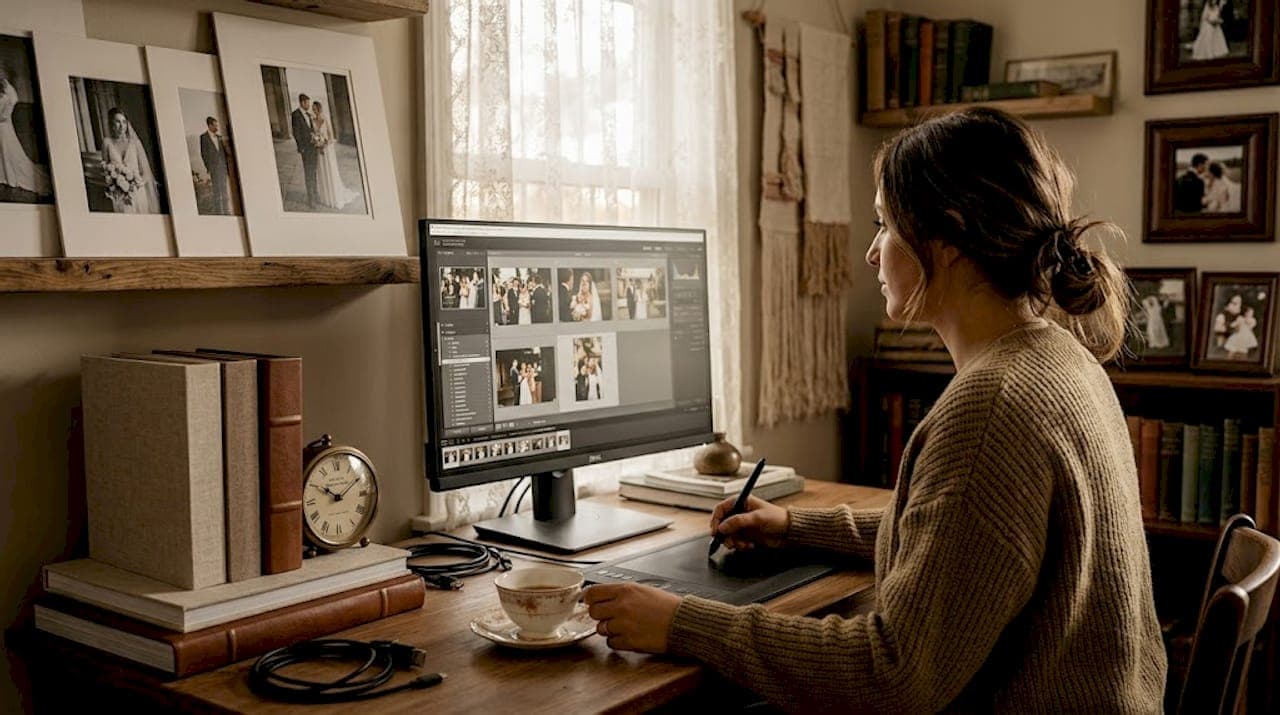
Most couples are genuinely surprised to learn how does wedding image retouching work behind the scenes of a polished wedding gallery. It is far more than applying a filter or tweaking brightness. A single wedding day can produce 2,000 or more RAW files, each requiring careful curation before a single pixel is adjusted. The journey from that vast archive to a breathtaking, timeless collection involves layers of skilled decision-making, professional software, and cultural sensitivity. Understanding this process helps you set realistic expectations, communicate clearly with your photographer, and ultimately receive images that feel authentically, beautifully yours.
Table of Contents
- Understanding the wedding photo retouching workflow
- Techniques and tools that make wedding retouching effective
- Nuances of retouching for Asian weddings in the UK
- Practical tips for couples: what to expect and how to prepare
- Comparing professional and amateur retouching approaches
- Why natural retouching matters for your authentic wedding memories
- Explore premium wedding photography packages with expert retouching
- Frequently asked questions
Key Takeaways
| Point | Details |
|---|---|
| Complex workflow | Wedding retouching transforms thousands of RAW images into hundreds of polished photos using advanced software and techniques. |
| Frequency separation | This key Photoshop technique smooths skin while keeping natural texture for authentic portraits. |
| Lighting consistency | Lightroom presets sync colour corrections across various lighting conditions for a cohesive gallery. |
| Cultural sensitivity | Retouching respects skin tones, jewellery, and dress details unique to Asian weddings in the UK. |
| Professional value | Expert retouching delivers natural, detailed images distinguishing professional photography from amateurs. |
Understanding the wedding photo retouching workflow
The wedding photo editing process begins long before any retouching tool is applied. It starts the moment your photographer downloads thousands of RAW files onto a secure hard drive, often with a backup copy created simultaneously. This dual-backup approach is standard practice among professionals, because losing irreplaceable wedding files is simply not an option.
From that initial archive, the workflow moves through several clearly defined stages:
- Import and backup — RAW files are imported into editing software, usually Adobe Lightroom, with duplicates stored on separate drives.
- Image culling — The photographer reviews every frame, discarding blurred shots, duplicates, and unflattering expressions. A typical wedding of 2,000 images is refined to 800 to 1,000 finalists.
- Preset application — A suite of custom Lightroom presets applies a consistent base colour and exposure adjustment across all selected images, establishing the overall aesthetic tone.
- Batch correction — Exposure, white balance, and highlight recovery are fine-tuned across groups of similar images shot in the same lighting conditions.
- Selective Photoshop retouching — Hero shots and key portraits receive individual attention in Photoshop for detailed skin work, background cleaning, and fine adjustments.
- Export and delivery — Final images are exported as high-quality JPEGs, optimised for both screen viewing and print, then delivered through a secure online gallery.
As wedding retouching workflows demonstrate, culling thousands of RAW files to hundreds of polished finals using Lightroom presets and Photoshop finishing significantly reduces manual editing time without sacrificing quality. Avoiding common retouching pitfalls at each stage is what separates a professional gallery from an amateur one.
Techniques and tools that make wedding retouching effective
Understanding the workflow leads to grasping the specific techniques and tools that deliver these results. The wedding image enhancement techniques used by professional retouchers are purposeful, not decorative. Each tool serves a specific function in preserving the integrity of your images while elevating their visual quality.
Key techniques include:
- Frequency separation — This Photoshop technique separates the skin into two layers: one carrying colour and tone, another carrying texture. Editors can smooth uneven complexions without erasing the natural pores, fine hairs, and surface detail that make skin look real, not plastic.
- Lightroom preset syncing — Custom presets ensure colour consistency across a full day of shooting, even when lighting shifts from a candlelit Gurdwara interior to a sunlit marquee exterior.
- Colour grading — Beyond technical correction, colour grading adds an emotional aesthetic. Warm golden tones evoke romance; cooler, desaturated palettes create a cinematic, editorial quality.
- Dodging and burning — Subtle lightening and darkening applied manually to specific areas of a portrait sculpts dimension and directs the viewer's eye naturally.
- Object and distraction removal — Stray cables, photobombers, or cluttered backgrounds are removed selectively on hero shots using Photoshop's Content-Aware and Clone Stamp tools.
Professional retouchers use frequency separation to smooth skin tones without losing realistic texture, complemented by Lightroom presets syncing colour corrections across similar lighting conditions. These tools work in concert to produce consistent retouching styles that feel both polished and personal.
Pro Tip: Ask your photographer which software they use for retouching and whether they apply Photoshop to every image or only to portraits. This tells you a great deal about the depth of care your gallery will receive.
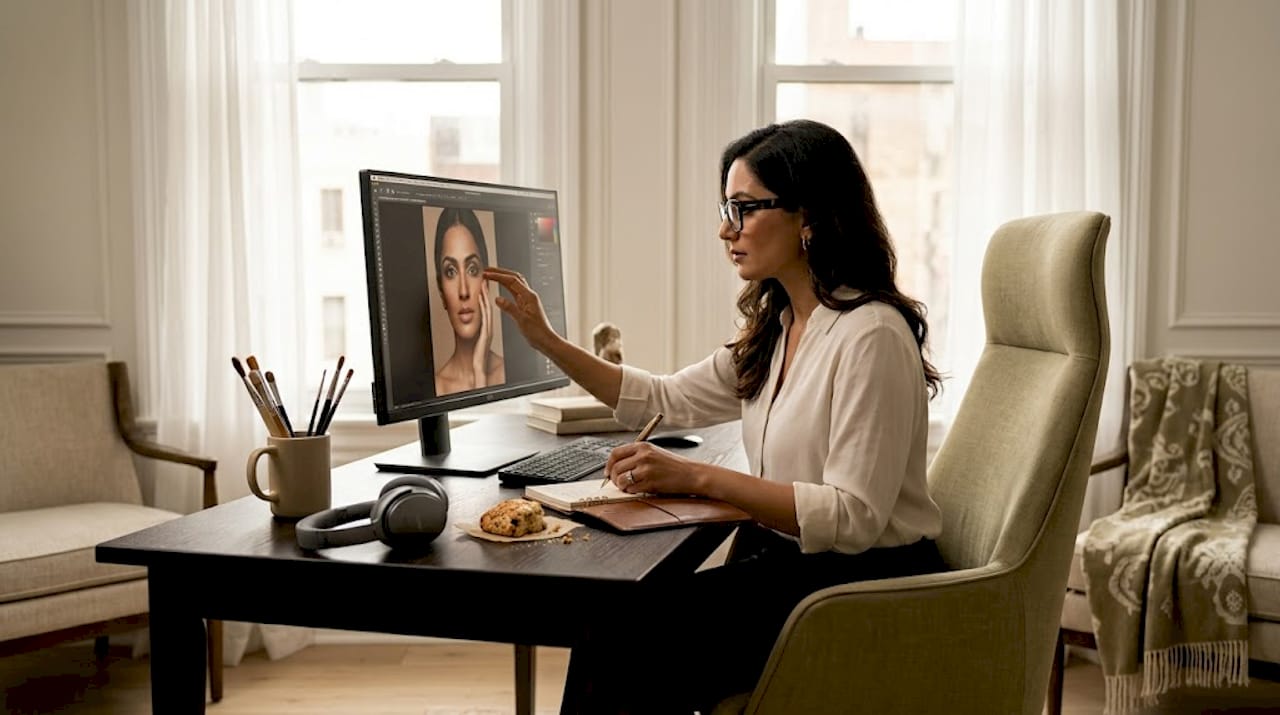
It is worth noting that even the finest editing software tools are only as effective as the person operating them. Technical skill and an artistic eye are inseparable in professional retouching.
Nuances of retouching for Asian weddings in the UK
Having looked at tools, now consider how retouching adapts to the special demands of Asian weddings in the UK. These celebrations are among the most visually rich and logistically intricate events a photographer will ever capture, often spanning multiple days, venues, and ceremonies, each with its own distinct lighting environment and aesthetic character.
The specific considerations that shape retouching for Asian weddings include:
- Multi-venue lighting variation — A Mehndi in a garden, a Nikah in a mosque, and a reception in a banqueting hall each present dramatically different colour temperatures. Professional editors develop custom presets tailored to each environment.
- Skin tone accuracy — Preserving natural South Asian complexions requires careful calibration. Orange or magenta casts are a frequent consequence of mixed artificial lighting and must be corrected without stripping warmth from the skin.
- Jewellery and fabric detail — Intricate Kundan sets, heavy zardozi embroidery, and the luminous sheen of a Banarasi silk saree all require restrained highlight recovery. Over-brightening jewellery blows out detail; under-exposing it loses the regal brilliance that makes these pieces so significant.
- Reference images and style guides — Many couples planning multi-day events provide photographers with curated mood boards. Editors use these to align the final gallery with the couple's visual expectations across every ceremony.
- Prioritising hero shots — With thousands of images across several days, editors intelligently focus detailed Photoshop work on the bride and groom's key portraits, ensuring the most meaningful frames receive the most care.
| Retouching consideration | Standard wedding | Asian wedding in the UK |
|---|---|---|
| Lighting environments | Typically 1 to 2 | Often 3 to 5 across ceremonies |
| Skin tone complexity | General correction | Nuanced South Asian tone matching |
| Fabric and jewellery detail | Minimal | Intricate; requires restraint |
| Multi-day editing consistency | Rarely required | Essential across 2 to 4 days |
| Style guide use | Occasional | Frequently provided by couples |
UK wedding editing services emphasise natural retouching that refines skin tones and jewellery shine without over-editing dresses or makeup, meeting the high expectations couples bring to these cultural celebrations. You can review retouching style options to understand how professional packages accommodate these specific needs.
Practical tips for couples: what to expect and how to prepare
With a grasp on techniques and cultural nuances, let us explore how you can best prepare and collaborate for ideal retouching outcomes. The wedding photography post-processing journey is genuinely collaborative, and the couples who engage with it thoughtfully tend to be the most delighted with their final galleries.
Here is what to consider:
- Confirm RAW format capture — RAW files carry significantly more image data than JPEGs, offering far greater flexibility for exposure correction, white balance adjustment, and colour grading without quality loss.
- Plan around realistic turnaround times — Retouching turnaround for galleries ranges from 48 hours for under 100 images to 3 to 5 business days for larger sets, with rush delivery available. Plan your photo reveal, social sharing, and album ordering around these timelines.
- Prepare a visual reference guide — Collect 10 to 15 images that represent the colour palette, mood, and retouching style you love. Share these with your photographer before the wedding, not after.
- Distinguish correction from retouching — General colour correction applies to every image in the gallery. Detailed portrait retouching, such as frequency separation and blemish removal, is reserved for a curated selection of key shots.
- Use secure online delivery platforms — Password-protected gallery platforms allow easy browsing, downloading, and sharing without compromising the security of your private images.
- Trust the process — Professional retouching aims for the best, most luminous version of what was captured that day, not a digitally constructed version of someone else.
Pro Tip: When communicating your retouching style preferences to your photographer, be specific about what you want preserved, such as your natural skin texture or the depth of your lehenga's colour, rather than only describing what you want removed.
Comparing professional and amateur retouching approaches
Understanding typical editing outcomes prepares you to appreciate the skill behind professional wedding retouching. The gap between amateur and professional editing is not merely technical; it is visible in every single frame of your gallery.
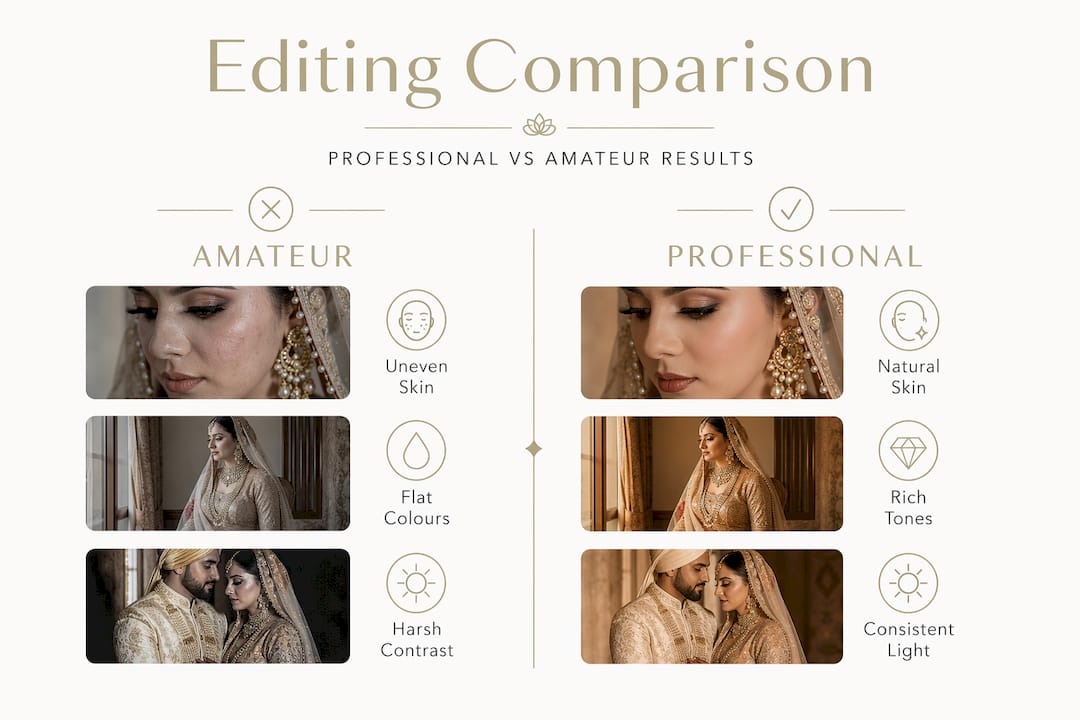
| Quality indicator | Amateur editing | Professional editing |
|---|---|---|
| Skin tone accuracy | Often orange or over-saturated | Naturally calibrated, complexion-true |
| Consistency across gallery | Variable, image-to-image shifts | Uniform through preset syncing |
| Texture preservation | Frequently blurred or waxy | Retained via frequency separation |
| Object removal | Rare, manual, inconsistent | Selective on hero shots, content-aware |
| Output quality | Screen-only JPEGs, often compressed | Print-ready, multi-format exports |
The differences are pronounced. Amateur edits frequently over-saturate skin tones, producing a warm, artificial glow that looks flattering on a phone screen and unconvincing in a framed print. Professional editors apply subtle techniques that honour the way light actually fell on your face that day.
Key advantages of professional retouching include:
- AI-assisted culling — AI tools reduce culling time by up to 90%, enabling photographers to focus creative energy on the retouching stage where artistry matters most.
- Batch editing with precision — Applying refined presets across hundreds of images simultaneously ensures a cohesive visual narrative without sacrificing individual image quality.
- Print-optimised exports — Professionals export final images at resolution settings appropriate for large-format prints, canvas wraps, and album pages, not just digital screens.
- Outsourced post-production — Many photographers partner with specialist retouching studios for complex edits, ensuring their own attention remains on the craft of shooting.
Reviewing amateur versus professional editing decisions clearly illustrates why experience and workflow matter as much as the camera itself.
Pro Tip: When reviewing photographer portfolios, pay close attention to the consistency of colour and tone across an entire wedding gallery, not just the five or six showstopper images. Consistency is the true mark of professional retouching.
Why natural retouching matters for your authentic wedding memories
There is a perspective worth sharing here, one rooted in years of photographing intricate, deeply personal celebrations. The retouching techniques for weddings that produce the most cherished results are always those that work quietly, invisibly, in service of the moment rather than against it.
Over-editing is one of the most common regrets couples voice after receiving galleries from inexperienced photographers. When skin is smoothed beyond recognition, when jewellery glows an unnatural gold, when every stray hair has been erased, the photograph stops being a memory and becomes an illustration. The emotional resonance of a candid glance, a mother's proud tears, or a groom's barely contained smile depends entirely on the image feeling real.
Professional retouching keeps moles, freckles, and laugh lines intact to maintain authenticity and personal character in bride portraits. This is not a compromise; it is a commitment to the truth of who you are. Subtle blemish removal and light shadow manipulation preserve personality rather than erasing it, and that distinction matters deeply when you revisit these images years from now.
Retouching should also honour cultural diversity with genuine understanding. South Asian brides wearing intricate bridal makeup deserve images that celebrate those details, not flatten them into uniformity. The natural retouching philosophy we apply at Rashpal Photography is rooted in this belief: that the finest edit is the one you never notice, because what you see instead is the love, the heritage, and the beauty of the day itself.
Clear communication with your photographer about editing preferences, before the wedding, remains one of the most valuable investments you can make in your final gallery. Share your references. Ask your questions. The more your photographer understands your vision, the more faithfully the retouching will reflect it.
Explore premium wedding photography packages with expert retouching
Having explored how retouching works and why natural edits matter, it is worth considering how the right photography partner translates all of this into your own wedding gallery.
At Rashpal Photography, professional retouching is woven into every package as standard, not offered as an optional extra. Our wedding photography packages are tailored specifically for the scope and splendour of UK Asian weddings, with flexible timelines designed to accommodate multi-day ceremonies and varied venue conditions. Whether you are drawn to the focused elegance of the 12-hour essentials package or the extended coverage of our classic 14-hour package, each option includes the same meticulous post-processing care. Every gallery we deliver reflects the authentic beauty of your celebration, crafted with intention, artistry, and a deep respect for cultural heritage.
Frequently asked questions
What does wedding image retouching include?
It includes colour correction, exposure adjustment, blemish removal, skin smoothing via frequency separation, selective object removal, and final polishing. As noted in Expert Graphic International's retouching guide, professional retouching corrects lighting and colour, removes blemishes and distracting objects, and makes subtle physical improvements throughout.
How long does the retouching process usually take?
For galleries under 100 images, turnaround is commonly 48 hours, while larger sets require 3 to 5 business days, with rush delivery options available for urgent requests.
Why do photographers shoot in RAW for weddings?
RAW files capture maximum image information, allowing flexible adjustments to exposure, white balance, and colour grading without degrading quality. As Image Retouch Services explains, professionals prefer RAW precisely because JPEGs introduce quality loss during editing.
What is frequency separation in retouching?
Frequency separation is a Photoshop technique that splits skin into two distinct layers, one for colour and tone, another for texture, enabling editors to smooth complexions while retaining natural detail. Clipping Expert Asia's workflow describes it as the gold standard for natural skin smoothing.
Can unwanted people be removed from wedding photos?
Yes, but selectively. Using Photoshop's Content-Aware and Clone Stamp tools, removal is applied only to hero shots due to the time and cost involved in applying this technique to every image in a large gallery.
Recommended
- How to Pose for Perfect Wedding Photos Rashpal Photography | Wedding Photographer Uxbridge, UK
- Top Tips For Camera Shy Couples Rashpal Photography | Wedding Photographer Uxbridge, UK
- Capturing the beauty of an Asian wedding Rashpal Photography | Wedding Photographer Uxbridge, UK
- Blogs Rashpal Photography | Wedding Photographer Uxbridge, UK